Navigation & Selection
View Navigation
| Using Mouse and Keyboard | Rotate: Click and hold the middle-mouse button and drag. Zoom: Scroll the middle-mouse wheel forward or backward. Pan: Hold Ctrl, click and hold the middle-mouse button, and drag. |
| Using the 'Heads up' toolbar - appears when a project is open. |  |
 | Default View: Left-mouse-button click. |
 | Pan: Left-mouse-button click to activate the mode, then click, hold, and drag in the viewport to pan. |
 | Rotate: Left-mouse-button click to activate the mode, then click, hold, and drag in the viewport to rotate. |
 | Zoom: Left-mouse-button click to activate the mode, then click, hold, and drag up or down in the viewport to zoom in or out. |
 | Zoom to Fit: Left-mouse-button click. |
 | Cancel Current Action: Left-mouse-button click to exit the active navigation mode. |
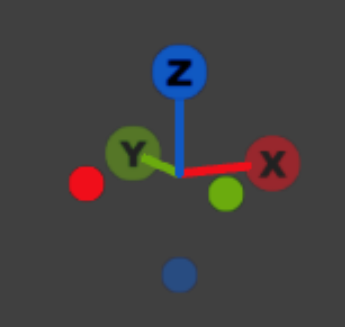
View Manipulator
 |
|
Selection & Deletion
⚠️ Z-clipping is automatically disabled when any selection tool is active. To re-enable it, deactivate the selection tool by clicking the selected tool again.
 | Box |
|
 | Polygon |
|
 | Lasso |
|
 | Paintbrush |
|
 | Clear Selection |
|
 | Delete selected points |
|
 | Delete unselected points |
|
 |
|