Licensing
⚠️ Important: Although PointBase is a desktop application, a continuous internet connection is required during use to validate the license.
Activating Your License
- After purchasing PointBase, you will receive an email containing:
- A download link
- Your unique License Key
- Download and install the application by following the installation wizard.
- Launch the software by double clicking the PointBase icon on your desktop.
On first launch, the Licensing Panel will appear automatically.
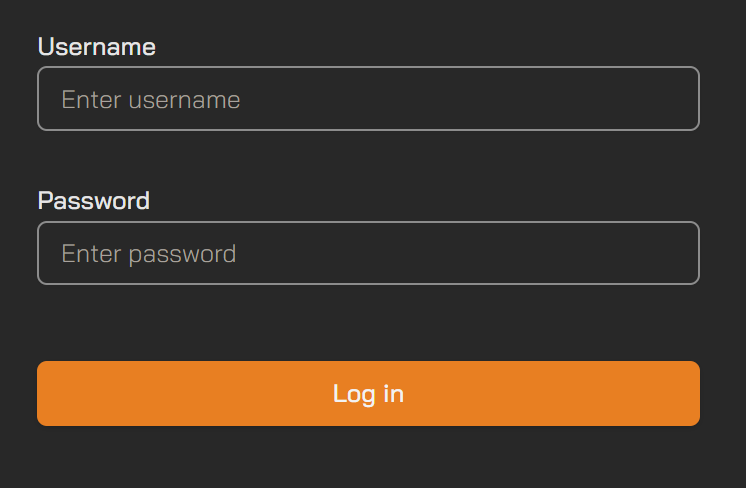
- Enter the username and password associated with your account and click Log In.
- Upon successful login, click Close to continue to the PointBase project page.
Deactivating Your License
To move your license to another computer, it must first be de-activated on the current machine. There are three ways to de-activate your license:
Method 1: Log out
- Click your username at the top-right of the interface.
Select Log Out.
Logging out automatically de-activates the license on that machine.
Method 2: De-activate
- Click your username at the top-right of the interface.
- Select Licence to open the Licensing Panel.
Click Deactivate.
This deactivates the current machine while retaining your user information, allowing re-activation later without re-entering your credentials.
Method 3: Via your Online Account
- Log in to your account at store.3dcompound.com
- Click Orders.
Under the relevant order, click View Licenses.
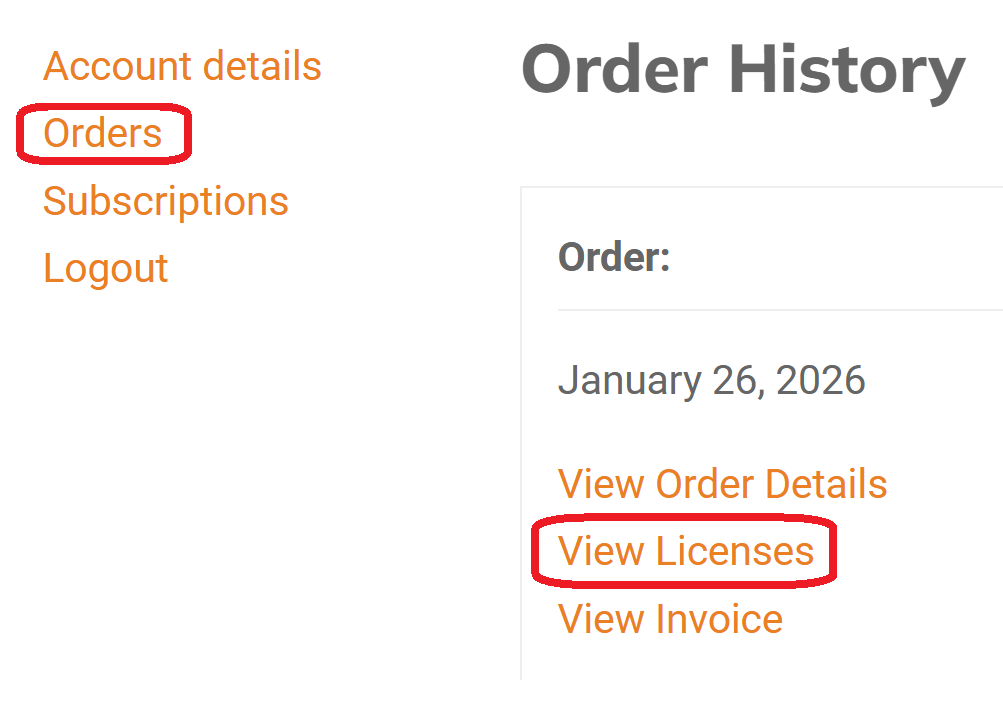
Click 'Manage Sites'.

Click 'Deactivate Site'.
